


Downloader - Video Downloader
4.74.75K Reviews
App Specs
- Version
- 1.5.1
- Updated On
- License
- Free
- Downloads
- 100,000,000+
- Developer
- Leap Fitness Group
- Categories
- Video Players & Editors
- Platform
- Android, iOS
Screenshots
 Analysis by AppCompare
I tend to judge a video downloader by what happens when a link refuses to cooperate, not by how quickly the first clip saves. Downloader - Video Downloader is aimed at people who want to keep online videos available on their device, but the practical experience depends on the source as much as on the app. It can be useful for planned offline viewing, though I would approach it as a focused tool rather than a promise that every video on every site can be saved.
Where a download can get stuck
The basic idea is simple: find a video, pass its address to the downloader, then save it for later. In practice, the first snag is often the link itself. A page address may lead to a profile, a feed, or a sign-in screen rather than directly to a playable clip. When a link does not work, I first check that I copied the individual video page and that it opens normally in a browser.
Another common source of confusion is expecting a downloader to handle any video embedded on the web. Sites can change how they serve media, and some clips may have restrictions that prevent saving. If the app does not detect a video, repeatedly pasting the same address is unlikely to help. I would try opening the clip from its original page, then use the app’s available download route if one appears. If there is no supported route, watching it through the source service is the more sensible option.
It is also worth separating a slow start from a failed download. A busy connection, a large file, or a weak signal can make progress appear sluggish. Before retrying several times, check that the phone has a working connection and enough available storage. Multiple retries can waste data and leave you unsure which copy, if any, is complete.
Setup checks that save time
On Android, the app is listed for devices running version 6.0 or later. I would check the phone’s software version before troubleshooting anything else; an incompatible or outdated device can create problems that look like an app fault. The current release is version 1.5.0, so keeping the installation current is a sensible first step if the store offers an update for your device.
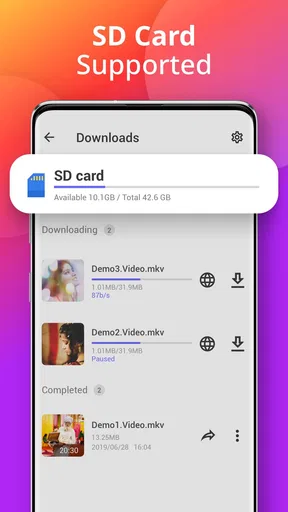
Before collecting clips, decide where you want them to live and how much room you can spare. Video files can take up space quickly, particularly if you keep several versions or forget about old downloads. I find it helpful to save only the clips I expect to use offline and remove them once they are no longer useful. That small habit makes a downloader feel much less cluttered and reduces the chance of a later download failing because storage is tight.
Start with a short, ordinary clip rather than a long video. That gives you a quick way to check that the link is recognized, the download finishes, and the saved file plays on your device. If the test works, you can move on to larger items with a clearer idea of the steps. If it does not, you have avoided waiting on a long transfer before discovering a basic setup issue.
Worth Reading Before You Choose

Baby Panda World Brings Quick Play to Modern Phones, but Its Game Library Feels Busy

ESPN’s Live Game View Makes Following Close Games Easier

QuizzLand Review: A Good Fit for Short Trivia Breaks, Not Every Player

Basketball Stars: Multiplayer Is Fast, but Can It Recover When Matches Go Wrong?

WEBTOON Turns Phone Updates Into a Better Reading Routine

Link to Windows Runs on Shared Habits, Not Social Feeds
Recovering a stalled workflow
If a download stops, I would avoid immediately deleting everything or starting a queue of duplicates. First, check whether the connection is stable and whether the app still shows the item as active. If it offers a way to pause and resume, that can be more practical than beginning again after a brief connection interruption. If progress does not return, a single fresh attempt with the same valid video page is a cleaner test than several overlapping attempts.
After a download appears complete, play the file before relying on it for a commute or a trip. This simple check catches incomplete or unusable saves while you still have time to try again on a reliable connection. It is especially useful when preparing several clips: verify each one as you go instead of assuming the whole group is ready because the download screen looks finished.
When the app may not be the cause
A downloader is only one part of the chain. The source page, the network, the device’s free space, and the way a particular site handles its videos can all affect the result. If one clip fails but another works, that points toward a source-specific problem rather than a general failure. If nothing downloads, I would check the connection, available storage, and whether the links open correctly before concluding that the app itself is at fault.
There is also a practical boundary around what you should save. I use downloads for material I am allowed to keep and for viewing that makes sense offline, rather than treating a download button as permission to copy or redistribute someone else’s work. If a service expects videos to be watched inside its own app, its official offline option may be the better choice and may preserve the creator’s intended access rules.
The Ultimate Tool for Video Enthusiasts
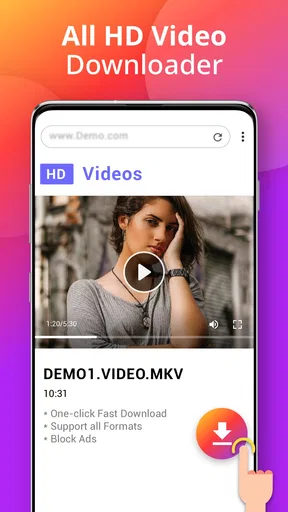
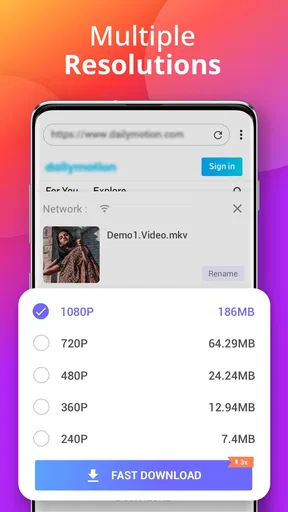
So, what's the deal with Downloader - Video Downloader? First off, it's incredibly user-friendly. You don't need to be a tech wizard to navigate through its features. Just plug in the URL of the video you want to download, and voilà, it's ready for you to enjoy offline. The app supports a variety of formats, which means you can save videos in the quality that suits your needs best.
Seamless and Fast Downloads
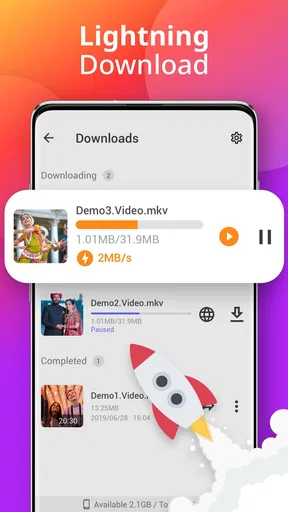
We all know the pain of slow download speeds. Thankfully, this app doesn’t disappoint in that department. It's optimized for quick downloads, allowing you to grab videos in a flash. Whether you're downloading a short clip or a full-length movie, the process is speedy and efficient. The app even allows for batch downloading, so you can queue up multiple videos without breaking a sweat.
Compatibility and Accessibility
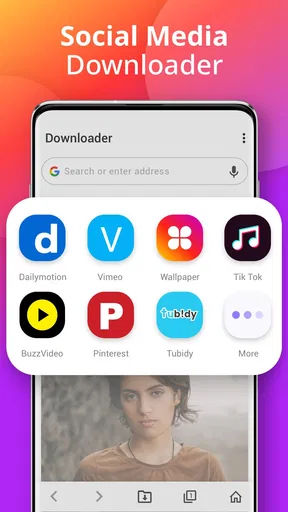
One thing I appreciate about Downloader - Video Downloader is its compatibility across various platforms. Whether you're using an Android or iOS device, this app has got you covered. The interface is slick and adaptable, making it a breeze to use on a phone or tablet. Plus, it integrates smoothly with popular browsers, so you can download videos directly without extra hassle.
Privacy and Security
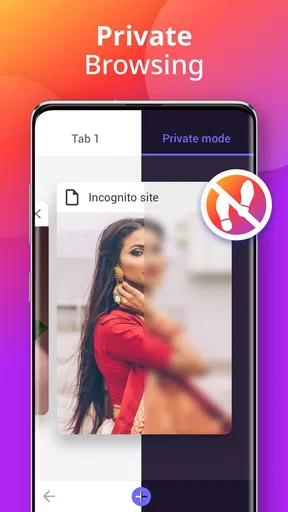
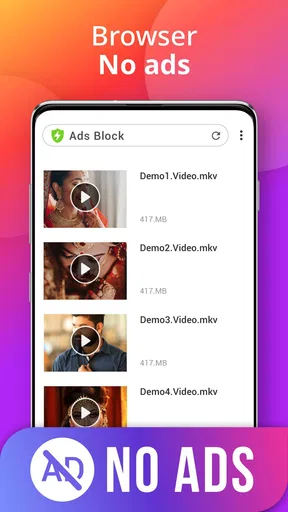
In today's digital age, privacy is a big deal, and this app takes it seriously. It doesn't track your download history, and there are no intrusive ads to worry about. You can download videos with peace of mind, knowing your data is secure. The app also lets you set up a password, adding an extra layer of security to your downloaded content.
Extra Features Worth Mentioning
Beyond the basics, this app offers some nifty extras that make it stand out. For instance, there's a built-in video player, so you can watch your downloads without needing a separate app. Also, the file manager feature helps keep your videos organized, which is a lifesaver if you're a bit of a download hoarder like I am.
Another cool feature is the ability to pause and resume downloads. So, if you're on a spotty Wi-Fi connection, you don't have to worry about starting all over again. Just pause the download and pick up where you left off when you're back in a good signal area.
A realistic offline routine
For an everyday example, imagine planning a journey where the signal may be unreliable. I would gather a few permitted clips at home, when the connection is steady, then open each saved file once before leaving. That last check matters: a thumbnail or completed-looking status is not as reassuring as actually seeing the video play. I would also avoid filling the phone with a large queue at the last minute, because a failed transfer is harder to fix once I am away from dependable internet.
This workflow suits short tutorials, reference clips, or videos I expect to revisit without using mobile data. It is less useful for someone who only watches occasional clips and already has reliable access through the original service. In that case, saving files adds another step and another set of items to manage without much payoff.
Choosing the right downloader approach
Compared with watching directly in a social app or browser, a dedicated downloader is appealing when I want a local copy ready for offline playback. The trade-off is that the source service may handle playback, captions, or access more reliably than a separate file. An official offline mode, where a service provides one, is often preferable for content that is tied to an account or protected by platform rules. A general file manager, meanwhile, can organize videos already on a device but will not necessarily solve the job of obtaining them from a web page.
That distinction helps set realistic expectations. I would choose this app when its download flow supports the particular video and I have a clear reason to keep a copy. I would choose the source app for routine streaming, account-linked material, or anything that does not offer an appropriate saving route. Neither option is universally better; the right choice depends on whether offline access is worth the extra file-management work.
Who will get the most from it
Leap Fitness Group’s app sits in the video player and editing category, though its main appeal here is saving videos for later rather than editing them. It is free to install, rated for Everyone, and has a 4.7 average from around 555,000 ratings, with over 100 million installs. Those figures suggest broad use, but they do not guarantee that every site or link will behave the same way on your phone.
I think it makes the most sense for someone who regularly prepares videos ahead of time and is comfortable checking that a saved file is complete. It is a weaker fit for people who expect one tap to bypass every site limitation, want a polished media library without any manual upkeep, or mainly watch videos that are already available inside their preferred streaming apps. The app’s in-app purchases are listed at $3.99 per item, so I would check the purchase details shown on the device before paying for anything and decide whether the free experience already meets the need.
Final Thoughts
If you're like me and love saving videos for offline enjoyment, Downloader - Video Downloader is definitely worth checking out. It's straightforward, reliable, and packed with features that make video downloading a breeze. Whether you're grabbing videos for personal enjoyment or offline sharing, this app has all the bases covered.
Ready to give it a go? You can find the download link below and start enjoying your favorite videos anytime, anywhere. Happy downloading!
My practical verdict is more measured: it can be a handy part of an offline-video routine, especially when I test links early and keep storage under control. I would not rely on it as a universal solution for every social platform, nor assume a saved clip will be available in every format or quality I might want. If your usual sources cooperate and you value having selected videos ready without a connection, it is worth trying; if you mostly stream or need platform-specific features, the official viewing option is likely the easier choice.
Pros
- Supports multiple formats efficiently.
- Fast download speeds with stable connectivity.
- User-friendly interface for easy navigation.
- Allows batch downloads for convenience.
- Integrated browser enhances usability.
Cons
- Contains ads that may disrupt user experience.
- Limited features in the free version.
- Some formats require additional plugins.
- Occasional glitches during large downloads.
- No built-in media player for previews.
FAQs for Downloader - Video Downloader
What types of videos can I download with Downloader - Video Downloader?
Downloader - Video Downloader supports a wide range of video formats, including MP4, AVI, and MOV, from various websites. It’s designed to work with popular video-sharing platforms, allowing users to save content directly to their devices for offline viewing. Always ensure compliance with copyright laws when downloading.
Is Downloader - Video Downloader free to use?
Yes, Downloader - Video Downloader offers a free version with basic features. However, there may be premium options available that provide additional functionalities, such as faster download speeds and ad-free usage. Check within the app for any in-app purchases or subscriptions that might enhance your experience.
How do I ensure the safety of my device when using this app?
To ensure your device's safety, download Downloader - Video Downloader from trusted sources like the Google Play Store or Apple App Store. Regularly update the app to benefit from the latest security patches. Avoid downloading videos from suspicious sites to protect against malware and unwanted content.
Can I download videos from any website using this app?
While Downloader - Video Downloader supports many popular sites, it may not work with all websites due to restrictions or copyright protections. Check the app's compatibility list or user reviews to see if your desired website is supported. Always respect the terms of service of each site.
Does the app support batch downloading?
Yes, Downloader - Video Downloader supports batch downloading, allowing you to download multiple videos simultaneously. This feature is particularly useful for users who want to save time by queuing several downloads at once. Ensure you have a stable internet connection for optimal performance.


